FTDX1200 Operating Manual Page 71

TRANSMITTER CONVENIENCE FEATURES

Previous Page    Index of Topics    Table of Contents    Index of Pages    Next Page

VOICE MEMORY (SSB/AM/FM MODES: REQUIRES OPTIONAL DVS-6 AND FH-2)

You may utilize the Voice Memory capability of the FTDX1200 for repetitive messages. The Voice Memory system includes five memories capable of storing up to 20 seconds of voice audio each. The maximun that any memory can hold is 20 seconds.

Voice Memory Operation from the FH-2 Remote Control Keypad

You may also utilize the Voice Memory capability of the FTDX1200 from the optional FH-2 Remote Control Keypad which plugs into the rear panel's REM jack.


Recording Your Own Voice In Memory

    1. Select the LSB, USB, AM or FM mode using the front panel [MODE] buttons.

    2. Adjust the [MIC/SPEED] knob, as described on page 63.

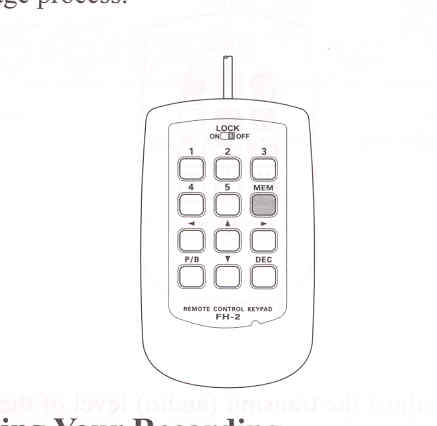
    3. Press the [MEM] key on the FH-2. A blinking "REC" icon will appear in the display.

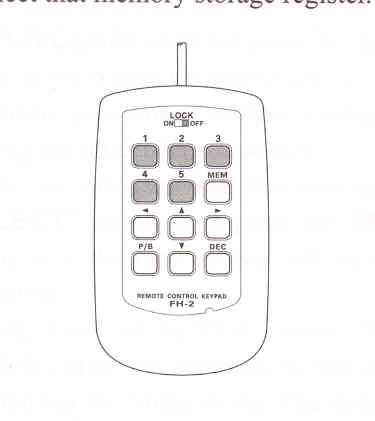
    4. Press any of the FH-2's keys numbered [1] through [5] tp select that memory storage register.

ADVICE:
If you do not press the PTT key (see next step) within five seconds, the memory storage process will be cancelled.

    5. Press the microphone's PTT switch momentarily. The "REC" icon will glow steadily and recording will begin.

    6. Speak into the microphone in a normal voice level to record the message (such as "CQ DX, CQ DX, this is W 6 Delta X-Ray Charlie, W 6 Delta X-Ray Charlie, Over"). Remember that the time limit for recording any message is 20 seconds.

    7. Press the FH-2 [MEM] key to terminate the message storing process.

Checking Your Recording

    1. Be sure that the front panel [MOX] and [BK-IN] buttons are "Off".

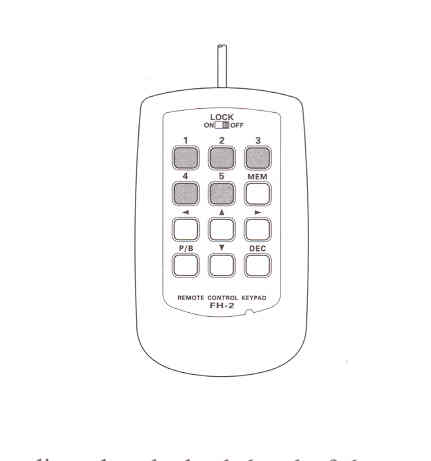
    2. Press FH-2 [1] ~ [5] key (whichever one you just recorded in). The "PLAY" icon will appear in the display and you will hear the contents of the Voice Memory you just recorded .

ADVICE:
You may adjust the playback level of the recording via Menu item "016 RX OUT LEVEL".


Cont'd Next Page "Voice Memory (SSB/AM/FM Modes: Required Optional DVS-6 and FH-2)"

Cont'd Next Page "Transmitter Convenience Features"

Previous Page    Index of Topics    Table of Contents    Back to Top    Index of Pages    Next Page

FTDX1200 Operating Manual Page 71